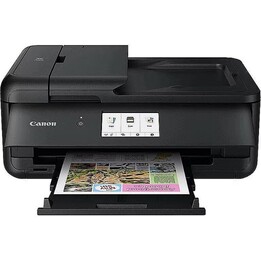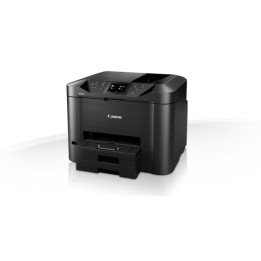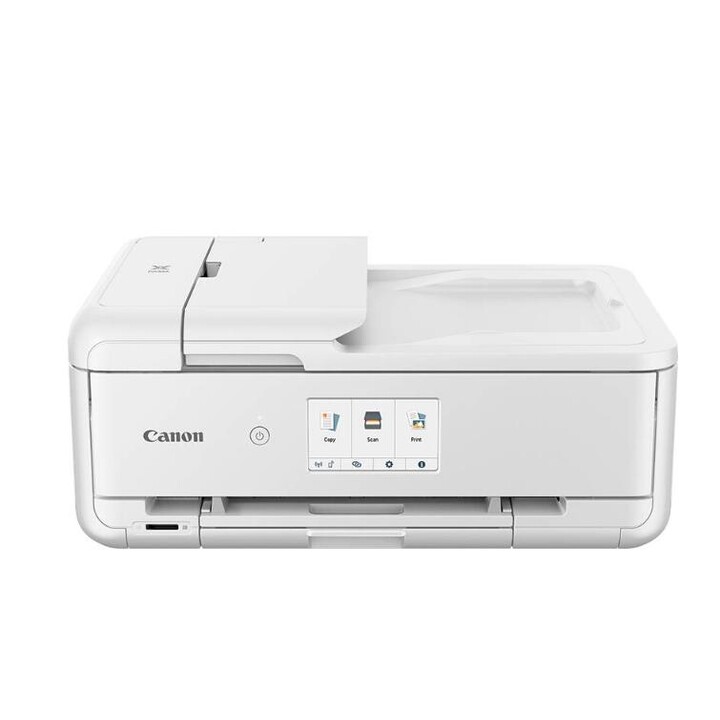

Canon PIXMA TS9551Ca multifunction printer
- Print, scan, copy, fax with 4.3" LCD touchscreen
- Print speed: 15 ipm black, 10 ipm color
- Auto duplex printing and 350-sheet paper capacity
- Wi-Fi, Ethernet, USB connectivity; Apple AirPrint compatible
- Borderless photo printing up to 8.5x11"
Canon PIXMA TS9551Ca multifunction printer
The Canon PIXMA TS9551Ca is a versatile all-in-one printer designed for home and small office use. It offers high-quality printing, scanning, copying, and faxing with a user-friendly 4.3-inch LCD touchscreen. With print speeds of up to 15 ipm in black and 10 ipm in color, it handles documents efficiently. The printer supports automatic duplex printing and has a 350-sheet paper capacity, reducing the need for frequent refills.
Connectivity options include Wi-Fi, Ethernet, and USB, along with support for Apple AirPrint and Canon PRINT app for mobile printing. The PIXMA TS9551Ca also excels in photo printing, producing borderless prints up to 8.5x11 inches with vibrant colors. Its five-ink individual system ensures cost-effective replacement and consistent output quality.
| Functions | Print, scan, copy, fax |
| Print Speed (Black) | 15 ipm |
| Print Speed (Color) | 10 ipm |
| Display | 4.3" LCD touchscreen |
| Paper Capacity | 350 sheets (250+100) |
| Duplex Printing | Automatic |
| Connectivity | Wi-Fi, Ethernet, USB 2.0 |
| Mobile Printing | Apple AirPrint, Canon PRINT, Mopria |
| Ink System | 5 individual ink tanks (PGI-280, CLI-281) |
| Borderless Printing | Up to 8.5x11" |
| Dimensions (WxDxH) | 18.5 x 14.6 x 9.6 inches |
| Weight | 20.5 lbs |
-
Brand

-
Reference2988C056
-
In stock1 Item
-
ConditionNew
-
EAN134549292236286
-
MPN2988C056
-
Velocidad de impresión15 ppm (negro) / 10 ppm (color)
-
Resolución de impresión4800 x 1200 ppp
-
Battery includedNo
| Brand | CANON |
|---|---|
| Country | Japan |
| Address of origin | 30-2, Shimomaruko 3-chome, Ohta-ku, Tokyo 146-8501, Japan |
| EU responsible person | CANON ESPAÑA, S.A. |
| Address | Parque Empresarial La Moraleja, Av Europa nº6 Alcobendas 28108 |
| [email protected] | |
| Phone | 34915384500 |
Safety warnings
General warnings for this type of product. Always follow the manufacturer's instructions.
- Read the manufacturer's instructions before installing or using the appliance and keep them.
- Connect it only to a mains supply of the stated voltage and use the power supply or cable provided.
- Do not use it with a damaged cable, plug or casing and do not open it: repairs by qualified personnel only.
- Protect it from moisture, liquids and heat, and keep the ventilation openings clear.
- Unplug it before cleaning and when it will not be used for a long time.
- Keep it out of the reach of children.
- At the end of its life, take it to a collection point for waste electrical and electronic equipment (WEEE).
This product connects to the internet or to other devices and generates data when you use it. The manufacturer publishes what data it collects, how it is used and how you can access it.
The link goes to the manufacturer’s official page.