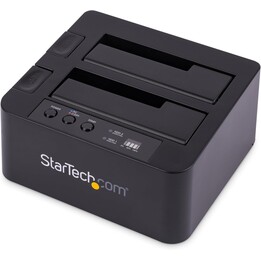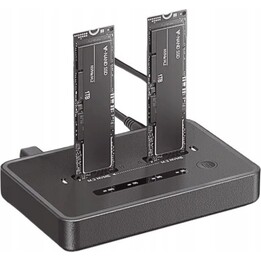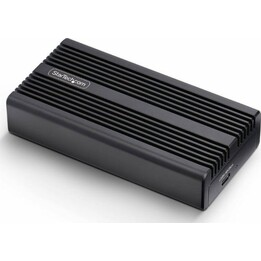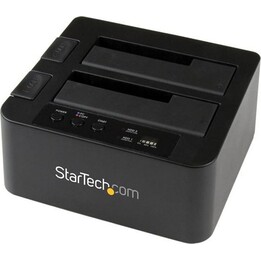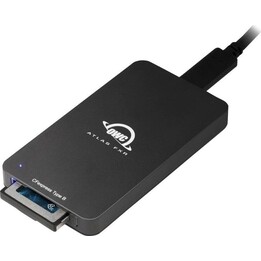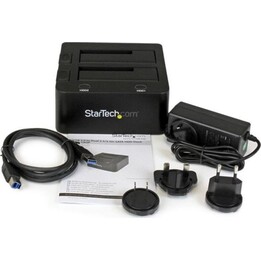
StarTech USB 3.1 to SATA Dual Bay Docking Station, USB 3.1 (10 Gbps), External 2.5/3.5" SATA I/II/III, SSD/HDD, Hot-Swappable Ha
- USB 3.1 Gen 2 (10 Gbps) interface with UASP support
- Dual bay for 2.5" or 3.5" SATA I/II/III SSD/HDD
- Hot-swappable drive bays with individual power switches
- Built-in 3.5" LCD screen for drive status and activity
- Supports drives up to 10TB per bay
StarTech USB 3.1 to SATA Dual Bay Docking Station, USB 3.1 (10 Gbps), External 2.5/3.5" SATA I/II/III, SSD/HDD, Hot-Swappable Ha
The StarTech SDOCK2U313 is a high-performance dual bay docking station that allows you to quickly access and clone 2.5" or 3.5" SATA drives via USB 3.1 Gen 2. With transfer speeds up to 10 Gbps and UASP support, it maximizes the performance of SSDs and HDDs. The built-in 3.5" LCD screen provides real-time drive status and activity information, making it ideal for IT professionals and data managers.
Each drive bay features independent power switches and LED indicators, enabling hot-swappable operation without rebooting. The docking station supports SATA I/II/III drives up to 10TB per bay, and its durable aluminum construction ensures reliable heat dissipation. Whether for data recovery, backup, or drive duplication, the SDOCK2U313 offers a versatile and efficient solution.
| Interface | USB 3.1 Gen 2 (10 Gbps) with UASP |
| Drive Bays | 2 x 2.5" or 3.5" SATA I/II/III SSD/HDD |
| Max Drive Capacity | 10TB per bay |
| Display | 3.5" LCD screen |
| Hot-Swap | Yes, with individual power switches |
| Material | Aluminum |
| Power Supply | External AC adapter (included) |
| OS Support | Windows, macOS, Linux |
-
Brand

-
ReferenceSDOCK2U313
-
In stock37 Items
-
ConditionNew
-
EAN130065030861663
-
MPNSDOCK2U313
-
Inches3,5"
-
ConectividadUSB 3.1 Gen2 (10 Gbps)
-
Sistema operativoWindows, macOS, Linux
| Brand | STARTECH |
|---|---|
| Country | Netherlands |
| Address of origin | Siriusdreef 17-27, 2132 WT Hoofddorp |
| EU responsible person | StarTech.com Europe LLP |
| Address | Boeing Avenue 8, Schiphol-Rijk, Netherlands, 1119PB |
| [email protected] | |
| Phone | 31203699300 |
Safety warnings
General warnings for this type of product. Always follow the manufacturer's instructions.
- Read the manufacturer's instructions before installing or using the appliance and keep them.
- Connect it only to a mains supply of the stated voltage and use the power supply or cable provided.
- Do not use it with a damaged cable, plug or casing and do not open it: repairs by qualified personnel only.
- Protect it from moisture, liquids and heat, and keep the ventilation openings clear.
- Unplug it before cleaning and when it will not be used for a long time.
- Keep it out of the reach of children.
- At the end of its life, take it to a collection point for waste electrical and electronic equipment (WEEE).