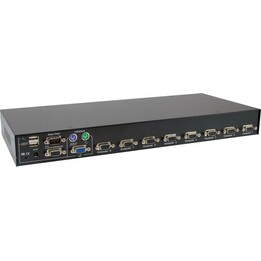



Digitus 2-Port KVM Switch with Dual 4K HDMI Display
- Supports UHD 4K resolution at 30Hz with YUV 4:4:4 subsampling
- 4 HDMI inputs, 2 USB B, and audio combo sockets
- 2 HDMI outputs with USB A ports for mouse and keyboard
- Front USB A port for additional peripherals
- Metal housing with compact dimensions (13.2 x 9.2 x 6.6 cm)
Control two computers with a single USB keyboard and mouse, switching between them instantly to maximize your productivity.
KVM Switch Features
- Manage two dual-screen PCs using a single USB keyboard and mouse combination.
- It supports a maximum UHD resolution of 4K at 30 Hz with FreeSync for a smooth visual experience.
- USB connections for mouse and keyboard, plus an integrated USB hub for additional peripherals.
- Dolby TrueHD and DTS HD Master Audio compatible audio for microphone and speaker.
- Quick switching via button on device or shortcut key on keyboard.
- Genuine Plug and Play, no software or drivers required.
- Robust metal casing for durability.
Optimize your workstation with this high-efficiency KVM switch. Ideal for professionals managing multiple PCs, it reduces cable clutter and improves ergonomics.
KVM Switch Specifications
| Specification | Detail |
|---|---|
| Number of PCs controlled | 2 |
| Keyboard port | USB |
| Puerto Ratón | USB |
| Video Port | HDMI |
| HDMI ports | 2 |
| HDMI version | 1.4b |
| Console USB ports | 2 (USB A) |
| Audio connection | Yes, compatible with Dolby TrueHD and DTS HD Master Audio |
| Maximum resolution | 3840 x 2160 pixels (4K Ultra HD) |
| Video bandwidth | 30 Hz |
| Color | Black |
| Housing material | Metal |
| LED Indicators | State |
| Dimensions | 132 mm x 92 mm x 66 mm |
| Weight | 575 g |
| Cables included | HDMI, KVM |
| Installation guide | Yeah |
| AC Adapter | Including |
FAQs - KVM Switch
What is a KVM switch and what is it used for?
A KVM switch allows you to control multiple computers with a single keyboard, mouse, and monitor. This model manages two PCs with dual displays, ideal for boosting productivity.
How do I connect the KVM switch?
Connect both PCs to the switch's inputs using HDMI and USB cables, and the monitors to the HDMI outputs. Then, switch between PCs using the device's button or a shortcut key.
Does it support 4K resolution?
Yes, it supports a maximum UHD resolution of 4K at 30 Hz, and is compatible with FreeSync for a smooth viewing experience.
Is it necessary to install software?
No, it's true Plug and Play, requiring no software or drivers. The connection is at the BIOS hardware level.
-
Brand

-
ReferenceDS-12860
-
In stock2 Items
-
ConditionNew
-
EAN134016032467168
-
MPNDS-12860
| Brand | ASSMANN |
|---|---|
| Country | Germany |
| Address of origin | Auf dem Schüffel 3, Lüdenscheid, 58513, Germany |
| EU responsible person | ASSMANN Electronic GmbH |
| Address | Auf dem Schüffel 3, Lüdenscheid, 58513, Germany |
| [email protected] | |
| Phone | +49 2351 554 0 |
12 other products in the same category
- Out-of-Stock
- Out-of-Stock
Viewed products



- Out-of-Stock