



Kensington Expert Mouse wired USB trackball black
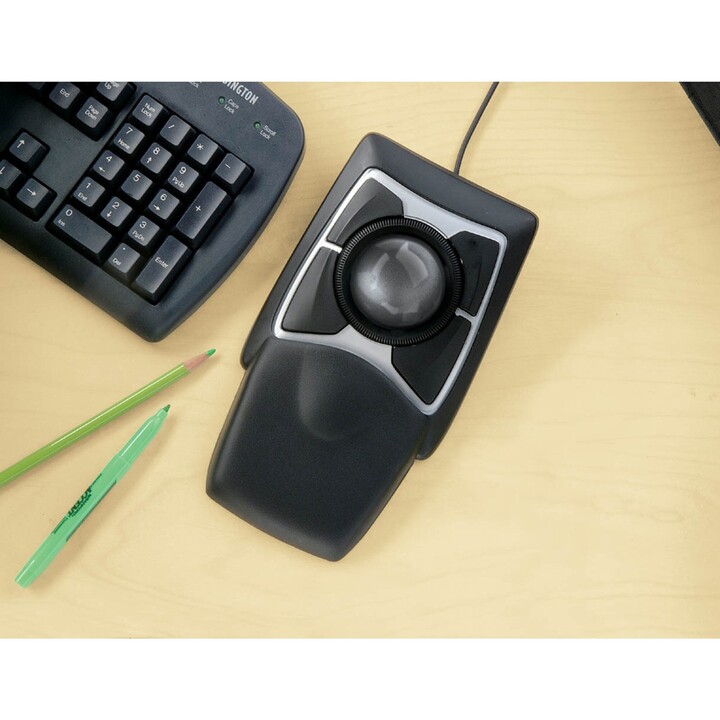
The Kensington Expert Mouse is a wired trackball designed for people who spend long hours at the desk and want to reduce the strain on their hand and wrist. Instead of moving the whole mouse, you control the cursor with a large 5.5 cm ball, while the four buttons and the scroll ring handle the rest. It is a practical choice for Windows, macOS and ChromeOS users looking for a comfortable, reliable alternative to a conventional mouse.
Highlights
- Large 5.5 cm trackball: you move the cursor by rolling the ball with your fingers, so your hand stays in one place and your wrist does less work.
- Optical tracking at 400 DPI: the sensor follows the movement of the ball for smooth, controlled cursor response.
- Scroll ring: a ring around the ball lets you move up and down pages and long documents without reaching for a separate wheel.
- Four programmable buttons: you can assign the functions you use most, so common actions are quicker to reach.
- Ambidextrous shape: the same design works for left- and right-handed users, and the black finish suits any desk.
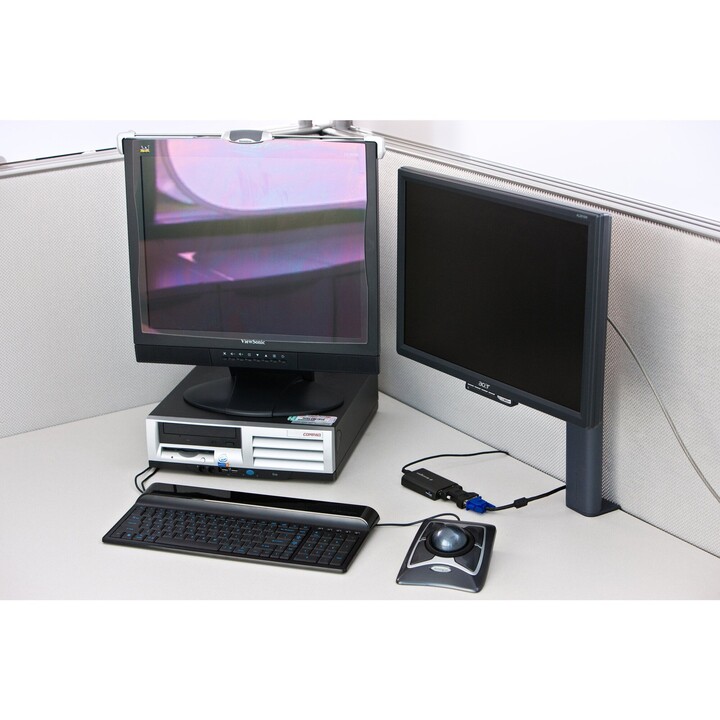
- Wired USB connection: a 180 cm cable keeps the connection stable and means you never have to charge or replace batteries.
- Wide compatibility: works with Windows, macOS and ChromeOS, and is also listed as compatible with a range of Microsoft Surface devices.
Technical specifications
Mouse
| Connectivity technology | Wired |
|---|---|
| Movement detection technology | Optical |
| Movement resolution | 400 DPI |
| Scroll type | Ring |
| Programmable mouse buttons | Yes |
| Buttons quantity | 4 |
| Trackball diameter | 5.5 cm |
Design
| Form factor | Ambidextrous |
|---|---|
| Product colour | Black |
System requirements
| Windows operating systems supported | Yes |
|---|---|
| Mac operating systems supported | Yes |
| Other operating systems supported | ChromeOS |
Other features
| Compatibility | Surface Laptop 15"; Surface Laptop 2; Surface Laptop 3; Surface Pro 6; Surface Pro 7; Surface Pro 7+; Surface Laptop 6 (13.5"); Surface Laptop Go 2; Surface Laptop Studio 2; Surface Laptop 5 (15"); Surface Laptop 5 (13.5"); Surface Laptop; Surface Laptop 13"; Surface Pro 4; Surface Laptop 6 (15"); Surface Laptop Go 3; Surface Laptop SE; Surface Laptop 4; Surface Pro 5; Surface Laptop 13.8"; Surface Laptop Go |
|---|---|
| Special features | SmartFitTM; Ambidextrous Design |
| Compatible operating systems | macOS 10.9; Windows 10; Chrome OS 44 or above; Windows 7; macOS 10.8; macOS 10.10 or above; Windows 8.1; macOS Sierra 10.12; macOS 10.13 or above; macOS X 10.11; Windows 11; Windows 8 |
| Trackball | Yes |
Manufacturer technical data.
Frequently asked questions
Do I need to install software to use the buttons?
The four buttons are programmable, and you can customise them with Kensington's TrackballWorks software. The trackball itself connects by USB, so you can plug it in and start using it.
Will it work with my computer?
It supports Windows, macOS and ChromeOS, and Kensington lists compatibility with several Surface models, including Surface Laptop, Surface Laptop Go, Surface Laptop Studio and Surface Pro devices. It is a wired USB device, so your computer needs an available USB port.
Is it suitable for left-handed users?
Yes. The Expert Mouse has an ambidextrous design, so it can be used with either hand.
How does the scroll ring work?
The scroll ring sits around the trackball and lets you scroll up and down through web pages and documents. It is a separate control from the ball, so you can move the cursor and scroll without changing your grip.
-
Brand

-
Reference64325
-
In stock6 Items
-
ConditionNew
-
EAN130085896643258
-
MPN64325
-
ColourBlack
-
ConectividadUSB
-
Battery includedNo
| Brand | KENSINGTON |
|---|---|
| Country | USA |
| Address of origin | 1435 Enterprise Drive, West Des Moines, IA 50265, USA |
| EU responsible person | Newstri Corporate Solutions SL |
| Address | Calle Pedro Duque,1 Módulo 6B 28814 Daganzo de Arriba - Madrid |
| [email protected] | |
| Phone | +34 912844705 |
12 other products in the same category




Viewed products