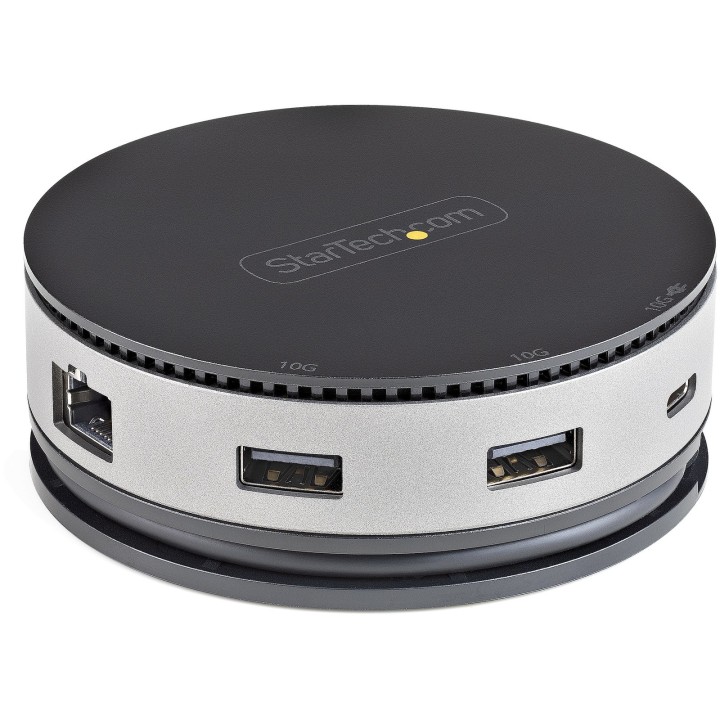
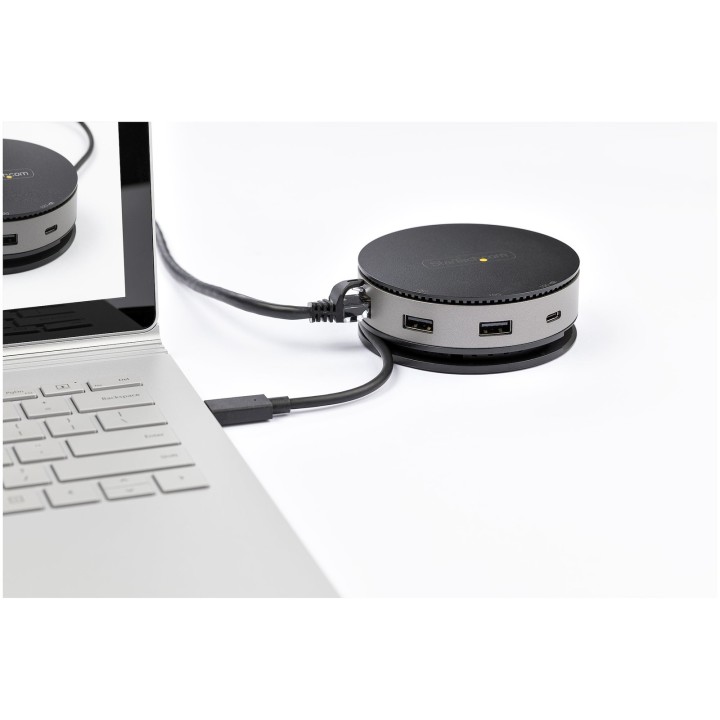
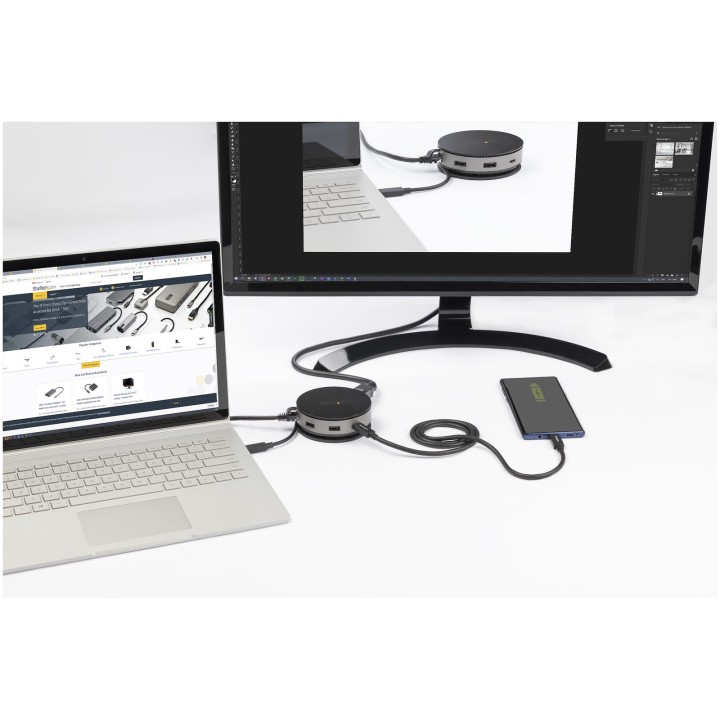
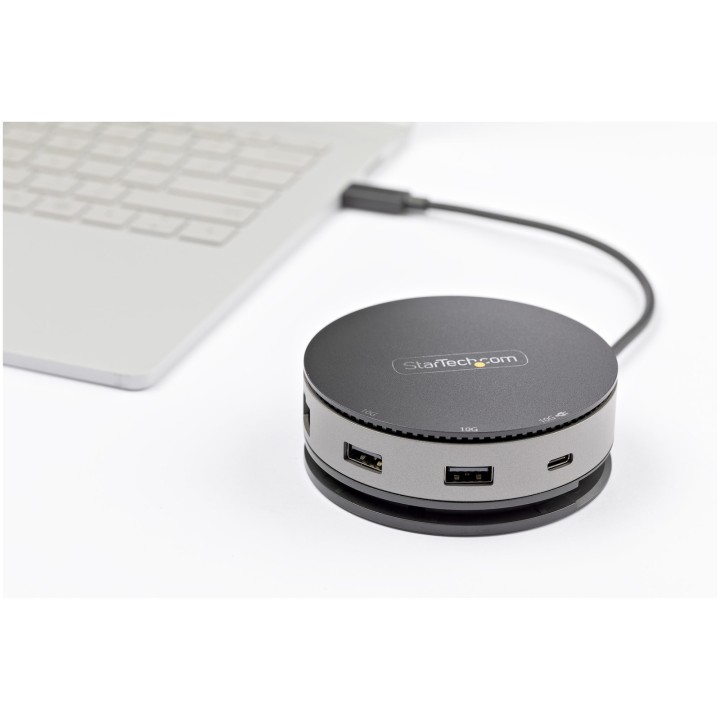
The Startech DKT31CHDVCM is a compact USB-C mini dock designed for people who need a full workstation setup on the move. It connects to your laptop or tablet through a single USB-C cable and gives you a choice of HDMI, DisplayPort or VGA video output, plus extra USB ports and wired networking. It is a practical option for hybrid workers, business travellers and anyone who wants to turn a portable device into a desk setup without carrying a bulky dock.
Highlights
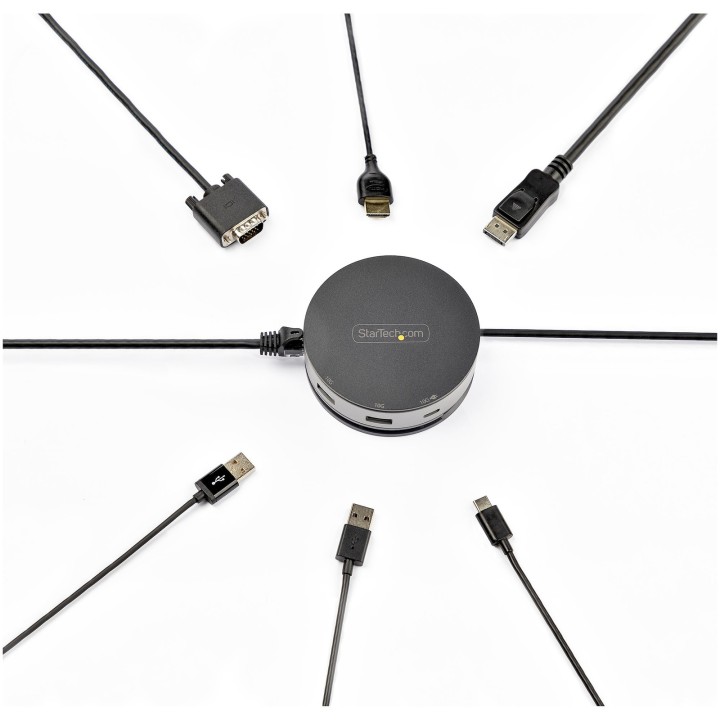
- Three video outputs to choose from: one HDMI port, one DisplayPort and one VGA port let you connect a single monitor in whichever way suits your screen, with digital resolutions up to 3840 x 2160 pixels.
- Fast USB connections: two USB-A ports and one USB-C port all run at up to 10 Gbps, so external drives and other peripherals work at high speed.
- Wired network built in: the Gigabit Ethernet port supports 10, 100 and 1000 Mbit/s and complies with IEEE 802.3ab, 802.3i and 802.3u, handy when Wi-Fi is unreliable.
- Power Delivery pass-through: connect your own USB-C power adapter and the dock passes up to 75 W to your setup, with 15 W reserved for the dock itself.
- Bus-powered for most uses: in many setups no separate power supply is needed, which keeps your bag lighter.
- Compact and travel-friendly: the circular body measures 90 x 90 x 32.5 mm and weighs 201 g, and the attached host cable is 0.254 m long to reach ports on tablets and 2-in-1 devices.
- Broad operating system support: works with Windows 8.1 and Windows 10, macOS from 10.12 Sierra to 13.0 Ventura, ChromeOS, Android and iOS.
Technical specifications
Ports & interfaces
| Connectivity technology | Wired |
|---|
| Host interface | USB 3.2 Gen 2 (3.1 Gen 2) Type-C |
|---|
| USB 3.2 Gen 2 (3.1 Gen 2) Type-A ports quantity | 2 |
|---|
| USB 3.2 Gen 2 (3.1 Gen 2) Type-C ports quantity | 1 |
|---|
| USB Power Delivery (USB PD) | Yes |
|---|
| USB Power Delivery up to | 75 W |
|---|
| HDMI ports quantity | 1 |
|---|
| VGA (D-Sub) ports quantity | 1 |
|---|
| DisplayPorts quantity | 1 |
|---|
| Microphone in | No |
|---|
| DC-in jack | No |
|---|
Network
| Ethernet LAN | Yes |
|---|
| Ethernet LAN (RJ-45) ports | 1 |
|---|
| Ethernet LAN data rates | 10,100,1000 Mbit/s |
|---|
| Networking standards | IEEE 802.3ab, IEEE 802.3i, IEEE 802.3u |
|---|
Performance
| Card reader integrated | No |
|---|
| Data transfer rate | 10 Gbit/s |
|---|
| Maximum digital resolution | 3840 x 2160 pixels |
|---|
| Product colour | Black, Grey |
|---|
Power
Software
| Windows operating systems supported | Windows 10, Windows 10 Education, Windows 10 Education x64, Windows 10 Enterprise, Windows 10 Enterprise x64, Windows 10 Home, Windows 10 Home x64, Windows 10 IOT Core, Windows 10 IoT Enterprise, Windows 10 Pro, Windows 10 Pro x64, Windows 10 x64, Windows 8.1, Windows 8.1 Enterprise, Windows 8.1 Enterprise x64, Windows 8.1 Pro, Windows 8.1 Pro x64, Windows 8.1 x64 |
|---|
| Mac operating systems supported | Mac OS X 10.12 Sierra, Mac OS X 10.13 High Sierra, Mac OS X 10.14 Mojave, Mac OS X 10.15 Catalina, Mac OS X 10.15.3 Catalina, Mac OS X 11.0 Big Sur, Mac OS X 13.0 Ventura |
|---|
| Mobile operating systems supported | Android, iOS |
|---|
| Other operating systems supported | ChromeOS |
|---|
Operational conditions
| Operating temperature (T-T) | 0 - 50 °C |
|---|
| Storage temperature (T-T) | -20 - 70 °C |
|---|
| Operating relative humidity (H-H) | 0 - 95% |
|---|
Weight & dimensions
| Width | 90 mm |
|---|
| Depth | 90 mm |
|---|
| Height | 32.5 mm |
|---|
| Weight | 201 g |
|---|
Packaging data
| Package width | 133 mm |
|---|
| Package depth | 145 mm |
|---|
| Package height | 37 mm |
|---|
| Package weight | 278 g |
|---|
Packaging content
Technical details
| Compliance certificates | CE, RoHS |
|---|
Other features
| Cable length | 0.254 m |
|---|
| Chipset | Genesys Logic GL9510, Genesys Logic GL3590, Realtek RTL8153, Realtek RTD2142S |
|---|
Manufacturer technical data.
Frequently asked questions
Can I connect more than one monitor at the same time?
No. The dock provides HDMI, DisplayPort and VGA ports, but they are three separate options for a single video output. You choose the one that matches your monitor or projector.
What resolution can I expect from each video output?
The maximum digital resolution is 3840 x 2160 pixels. HDMI and DisplayPort can reach 4K at 60 Hz when the host supports DP 1.4, while VGA tops out at 1080p.
Do I need to carry a power adapter for the dock?
Not necessarily. The dock is bus-powered for most applications. If you need more power, you can connect your laptop's USB-C adapter and use the 75 W Power Delivery pass-through, of which 15 W is reserved for the dock.
Which devices and operating systems does it work with?
It connects through a USB 3.2 Gen 2 Type-C host interface and is compatible with Windows 8.1 and Windows 10, macOS 10.12 Sierra through 13.0 Ventura, ChromeOS, Android and iOS. A quick-start guide is included in the box.