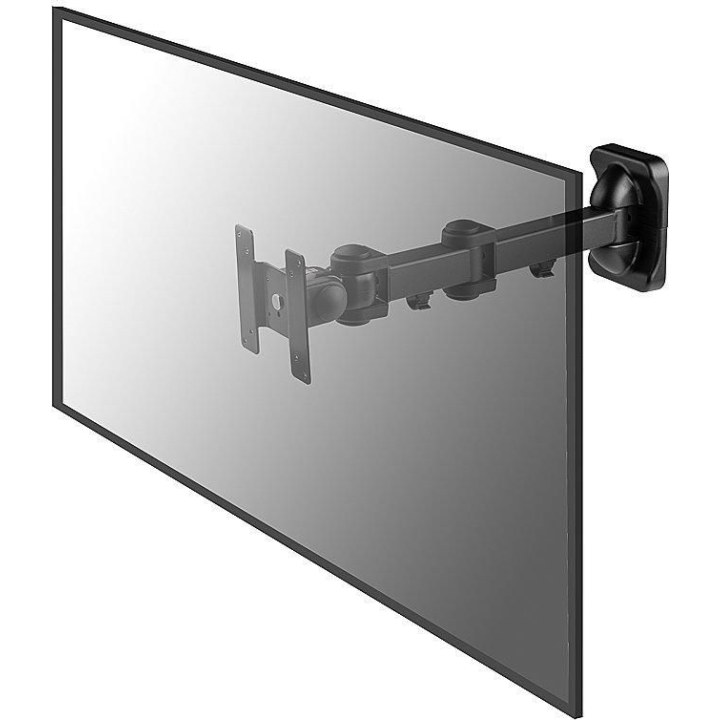
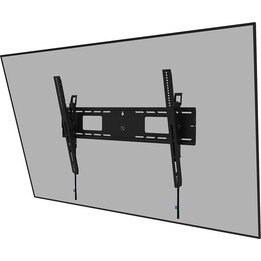
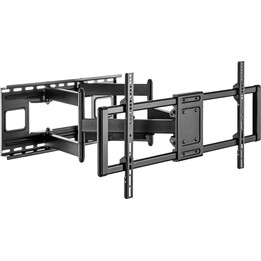
The Lindy LCD Multi Joint Wall Bracket is a black steel wall mount designed for small LCD screens, from 35.6 cm (14") up to 48.3 cm (19"). It is a practical choice if you want to free up desk space and angle the screen exactly where you need it, whether at home or in a small office or reception area.
Highlights
- Supports screens weighing up to 10 kg, so it suits typical 14", 15", 17" and 19" LCD monitors.
- VESA mounting interface of 100 x 100 and 75 x 75 mm for straightforward fitting to compatible screens.
- Arm with three joints that extends up to 41 cm from the wall, letting you pull the screen closer or push it back.
- 360° rotation and a pivot angle of 0 to 180°, so you can turn the screen to portrait or landscape and tilt it to your viewing position.
- Built-in cable management tie keeps the lead tidy along the arm.
- Steel housing in black, a discreet finish that blends in with most walls and desks.
- VESA certified, with REACH and RoHS conformity listed by the manufacturer.
Technical specifications
Mounting
| Maximum weight capacity | 10 kg |
|---|
| Minimum screen size | 35.6 cm (14") |
|---|
| Maximum screen size | 48.3 cm (19") |
|---|
| Panel mounting interface | 100 x 100,75 x 75 mm |
|---|
| Mounting type | Wall |
|---|
Ergonomics
| Rotating | Yes |
|---|
| Angle of rotation | 360° |
|---|
| Pivot angle | 0 - 180° |
|---|
| Distance to the wall (max) | 41 cm |
|---|
Design
| Product colour | Black |
|---|
| Housing material | Steel |
|---|
| Certification | VESA |
|---|
Technical details
| Compliance certificates | REACH, RoHS |
|---|
| Proposition 65 | Yes |
|---|
Weight & dimensions
Packaging data
| Package width | 150 mm |
|---|
| Package depth | 440 mm |
|---|
| Package height | 140 mm |
|---|
Other features
| Pivot | Yes |
|---|
| Package weight | 2450 kg |
|---|
| Screen size compatibility | 19 |
|---|
Manufacturer technical data.
Frequently asked questions
Which screen sizes does it fit?
It is intended for LCD screens from 35.6 cm (14") to 48.3 cm (19"), with a maximum weight of 10 kg. The screen also needs a VESA hole pattern of 100 x 100 or 75 x 75 mm.
How far can the screen be pulled away from the wall?
The arm has three joints and extends up to 41 cm from the wall at its maximum. That gives you room to adjust the viewing distance and angle without moving the bracket itself.
Can I turn the screen to portrait?
Yes. The bracket rotates through 360° and pivots from 0 to 180°, so you can switch between landscape and portrait and tilt the screen to suit your position.
How is the cable kept tidy?
A built-in cable management tie runs along the arm, so the monitor lead can be gathered and held out of the way instead of hanging loose.