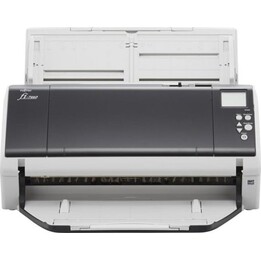
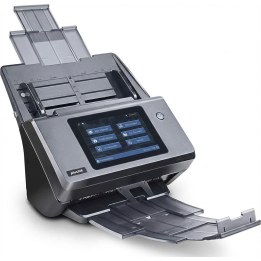
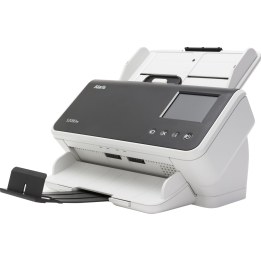
Document Scanner RICOH fi-8290
- Automatic duplex scanning
- 90 pages per minute color scan speed
- 600 dpi optical resolution
- 100-sheet automatic document feeder
- Supports various document sizes including A4
The Ricoh fi-8290 scanner is designed for high-volume document scanning with professional-grade features. It offers automatic duplex scanning, enabling both sides of a document to be scanned simultaneously, increasing productivity. With a fast color scan speed of 90 pages per minute and an optical resolution of 600 dpi, it ensures clear and detailed image capture.
Equipped with a 100-sheet automatic document feeder (ADF), the scanner can handle large batches of documents efficiently without manual intervention. It supports a variety of document sizes including standard A4, business cards, and postcards, making it versatile for different scanning needs.
The device uses a Dual CIS/CCD image sensor and LED light source for accurate color reproduction and image quality. Its compact design with dimensions of 57.7 cm width, 23.4 cm depth, and 30 cm height fits well in office environments. Connectivity options include Bluetooth, although no additional ports are specified.
Ideal for offices requiring fast, reliable, and high-quality document scanning, the Ricoh fi-8290 combines speed, precision, and ease of use in one robust unit.

-
ConectividadUSB 3.0 (compatible con USB 2.0)
-
Sistema operativoWindows 10/11, macOS 10.15 o superior
| Brand | Ricoh |
|---|---|
| Country | Japan |
| Address of origin | 3-6, Nakamagome 1-chome, Ohta-ku, Tokyo 143-8555, Japan |
| EU responsible person | Ricoh España S.L.U. |
| Address | C/ Cantabria,2 Alcobendas 28108 |
| [email protected] | |
| Phone | 34902700000 |
Safety warnings
General warnings for this type of product. Always follow the manufacturer's instructions.
- Read the manufacturer's instructions before installing or using the appliance and keep them.
- Connect it only to a mains supply of the stated voltage and use the power supply or cable provided.
- Do not use it with a damaged cable, plug or casing and do not open it: repairs by qualified personnel only.
- Protect it from moisture, liquids and heat, and keep the ventilation openings clear.
- Unplug it before cleaning and when it will not be used for a long time.
- Keep it out of the reach of children.
- At the end of its life, take it to a collection point for waste electrical and electronic equipment (WEEE).