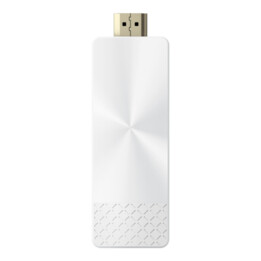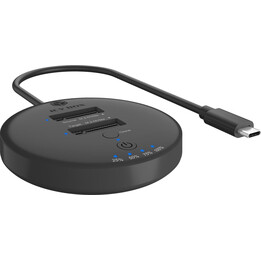
USB Wi-Fi adapter BenQ for projector
- Type: wifi adapter
- Brand: Optoma
- Model: ML1080
- Reference: 75.7EE05G001
This BenQ USB Wi-Fi adapter turns a compatible projector into a wireless display for meetings, lessons or shared viewing. It plugs into the projector's USB port and lets you mirror content from laptops and mobile devices without extra software. It is aimed at anyone who wants to avoid cables in a meeting room or classroom.
Highlights
- Wireless connectivity through a USB host interface, so the projector connects to the network without a cable run.
- Designed as a projector component and listed as compatible with the BenQ EH620, LH730, LW600, LH600 and LH650 models.
- Works with Windows and Mac computers, as well as Android and ChromeOS devices, covering the usual mix of equipment in a meeting or classroom.
- Compact external unit that stays out of the way once plugged in.
Technical specifications
Ports & interfaces
| Connectivity technology | Wireless |
|---|---|
| Host interface | USB |
| Interface | WLAN |
Network
| Wi-Fi | Yes |
|---|
Design
| Component for | Projector |
|---|---|
| Product colour | Black |
| Internal | No |
| Compatible products | BenQ EH620, LH730, LW600, LH600 LH650 |
System requirements
| Windows operating systems supported | Yes |
|---|---|
| Mac operating systems supported | Yes |
| Other operating systems supported | Android, ChromeOS |
Packaging data
| Package width | 30 mm |
|---|---|
| Package depth | 20 mm |
| Package height | 10 mm |
Manufacturer technical data.
Frequently asked questions
Which projectors can I use it with?
The manufacturer lists the BenQ EH620, LH730, LW600, LH600 and LH650 as compatible models. Check your projector model before buying, as other models are not listed.
Which devices can connect to it?
It supports Windows and Mac operating systems, plus Android and ChromeOS. That covers most laptops, tablets and phones used for presentations.
How does it connect to the projector?
It uses a USB host interface and provides a WLAN connection, so no wired network link is needed between the projector and your devices.
Is it an internal module?
No, it is an external adapter that plugs into the projector rather than being fitted inside it.
-
Brand

-
Reference75.7EE05G001
-
In stock1 Item
-
ConditionNew
-
EAN134718755088308
-
MPN75.7EE05G001
-
ColourBlack
| Brand | BENQ |
|---|---|
| Country | Taiwan |
| Address of origin | 12 Jihu Road, Neihu, Taipei 114, Taiwan |
| EU responsible person | BenQ Europe B.V. |
| Address | Meerenakkerweg 1-17, Eindhoven, Netherlands, 5652 AR |
| [email protected] | |
| Phone | 31888880000 |
Safety warnings
General warnings for this type of product. Always follow the manufacturer's instructions.
- Read the manufacturer's instructions before installing or using the appliance and keep them.
- Connect it only to a mains supply of the stated voltage and use the power supply or cable provided.
- Do not use it with a damaged cable, plug or casing and do not open it: repairs by qualified personnel only.
- Protect it from moisture, liquids and heat, and keep the ventilation openings clear.
- Unplug it before cleaning and when it will not be used for a long time.
- Keep it out of the reach of children.
- At the end of its life, take it to a collection point for waste electrical and electronic equipment (WEEE).