- Out-of-Stock
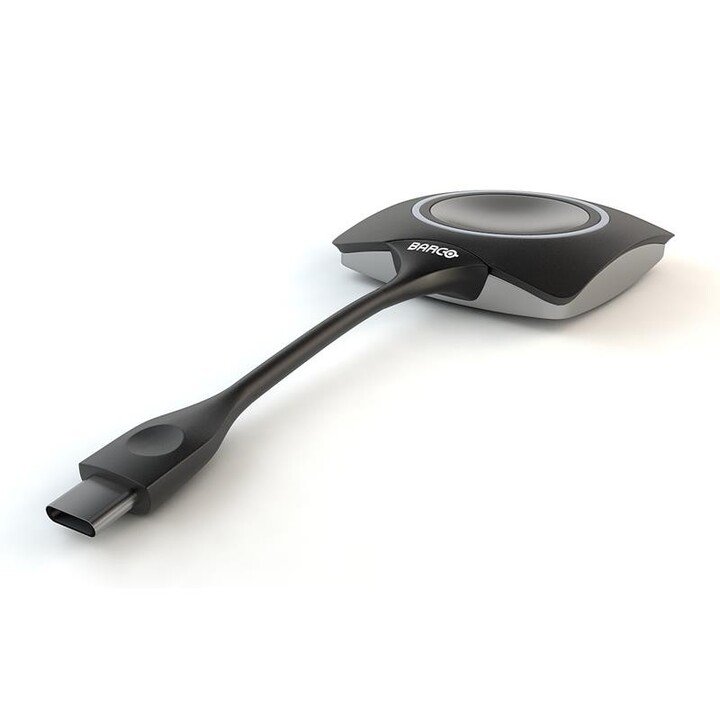

The Barco ClickShare Conferencing Button is designed to simplify wireless conferencing and content sharing in professional environments. Compatible with the ClickShare Conference Series, including CX-20, CX-30, and CX-50, this device offers seamless integration for hybrid meetings and huddle spaces.
Featuring encrypted communication, it ensures secure connections between your device and the ClickShare system. The intuitive LED light ring provides clear status visibility, making it easy to know when the device is active or ready to use.
With a single USB Type-C connector, setup is straightforward and quick. The Button enhances meeting productivity by enabling one-click wireless conferencing connectivity, eliminating the need for cables or complex configurations.
Ideal for modern meeting rooms and collaborative workspaces, the Barco ClickShare Conferencing Button supports efficient communication and content sharing, helping teams stay connected and engaged.

| Brand | BARCO |
|---|---|
| Country | Belgium |
| Address of origin | President Kennedypark 35, 8500 Kortrijk, Belgium |
| EU responsible person | Barco NV |
| Address | President Kennedypark 35, Kortrijk, Belgium, 8500 |
| [email protected] | |
| Phone | 3256233211 |
Safety warnings
General warnings for this type of product. Always follow the manufacturer's instructions.