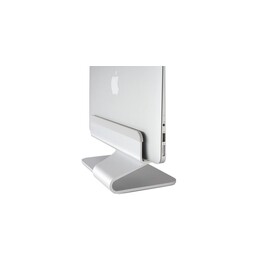
ASUS DC310 USB-C STAND dock black
- USB-C connectivity with Power Delivery pass-through up to 85W
- Adjustable stand for ergonomic viewing angles
- HDMI output supporting up to 4K@30Hz
- 2x USB 3.0 Type-A ports for high-speed data transfer
- SD card reader for easy media access
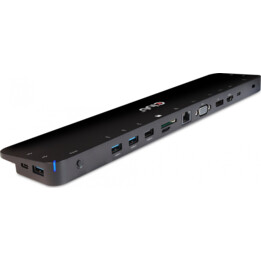
The ASUS DC310 USB-C STAND dock is a black docking station that also doubles as an adjustable laptop stand. It is aimed at people who work with a laptop and want to connect two screens, several peripherals and a wired network without plugging in a different adapter for each one. It is a practical choice if you need a fixed desk setup that keeps the laptop charged and raised to a comfortable viewing height.
Highlights
- Two HDMI 2.0 ports let you run up to two displays at 4K Ultra HD (3840 x 2160 pixels) and 60 Hz, which makes it easier to spread out your work across several windows.
- Four USB Type-A ports in total: two USB 3.2 Gen 1 and two USB 3.2 Gen 2, plus one USB Type-C USB 3.2 Gen 2 port, so you can keep a keyboard, mouse, storage and other devices connected at once.
- Data transfers of up to 10 Gbit/s over USB 3.2 Gen 2, useful for moving large files to and from compatible drives.
- USB Power Delivery of up to 100 W keeps a connected laptop charged through the dock, so you do not need a separate charger on the desk.
- Gigabit Ethernet (10, 100, 1000 Mbit/s) gives you a stable wired network connection when Wi-Fi is not ideal.
- The stand offers two raised positions, so you can set the laptop at a more comfortable height for viewing.
- A single power button on the dock wakes the laptop and the connected monitors, and there is a Kensington security slot for locking the dock in place.
Technical specifications
Ports & interfaces
| Connectivity technology | Wired |
|---|---|
| Host interface | USB 3.2 Gen 2 (3.1 Gen 2) Type-C |
| USB 3.2 Gen 1 (3.1 Gen 1) Type-A ports quantity | 2 |
| USB 3.2 Gen 2 (3.1 Gen 2) Type-A ports quantity | 2 |
| USB 3.2 Gen 2 (3.1 Gen 2) Type-C ports quantity | 1 |
| USB Power Delivery (USB PD) | Yes |
| USB Power Delivery up to | 100 W |
| HDMI ports quantity | 2 |
| HDMI version | 2.0 |
| Microphone in | No |
| Combo headphone/mic port | Yes |
| DC-in jack | Yes |
Network
| Ethernet LAN | Yes |
|---|---|
| Ethernet LAN (RJ-45) ports | 1 |
| Ethernet LAN data rates | 10,1000,100 Mbit/s |
| Wake-on-LAN ready | Yes |
Performance
| Card reader integrated | No |
|---|---|
| Data transfer rate | 10 Gbit/s |
| HD type | 4K Ultra HD |
| Maximum digital resolution | 3840 x 2160 pixels |
| Number of displays supported | 2 |
| Maximum refresh rate | 60 Hz |
| Cable lock slot | Yes |
| Cable lock slot type | Kensington |
| Product colour | Black |
| On/off switch | Yes |
| Housing material | Plastic, Metal |
Power
| Power source type | DC |
|---|---|
| Power supply | 150 W |
| Output voltage | 20 V |
| Output current | 7.5 A |
| USB cable length | 0.65 m |
Software
| Windows operating systems supported | Windows 10, Windows 11 |
|---|---|
| Mac operating systems supported | Yes |
Weight & dimensions
| Width | 334.9 mm |
|---|---|
| Depth | 66.2 mm |
| Height | 29.6 mm |
| Weight | 422 g |
Packaging data
| Quantity per pack | 1 pc(s) |
|---|
Packaging content
| AC adapter included | Yes |
|---|
Manufacturer technical data.
Frequently asked questions
Can I connect two monitors at the same time?
Yes. The dock has two HDMI 2.0 ports and supports up to two screens, with a maximum digital resolution of 3840 x 2160 pixels at 60 Hz.
Does it charge the laptop while I use it?
Yes. It supports USB Power Delivery of up to 100 W, and the included 150 W AC adapter powers the dock. The output is 20 V at 7.5 A.
Which computers can I use it with?
The host connection is USB 3.2 Gen 2 (3.1 Gen 2) Type-C. It supports Windows 10 and Windows 11, and macOS is also supported.
What else can I plug in?
Alongside the USB ports and HDMI outputs, there is a Gigabit Ethernet port (RJ-45), a combined headphone/microphone jack and a DC input. There is no built-in card reader and no separate microphone input.
-
Brand

-
Reference90XB099N-BDS020
-
In stock15 Items
-
ConditionNew
-
EAN134711387853634
-
MPN90XB099N-BDS020
-
ColourBlack
-
Sistema operativoWindows, macOS, Chrome OS
| Brand | ASUS |
|---|---|
| Country | Taiwan |
| Address of origin | 15 Li-Te Road, Beitou District, Taipei 112, Taiwan |
| EU responsible person | ASUS Computer GmbH |
| Address | Harkortstr. 21-23, 40880 Ratingen, Germany |
| [email protected] | |
| Phone | +49-2102-5789555 |
Safety warnings
General warnings for this type of product. Always follow the manufacturer's instructions.
- Read the manufacturer's instructions before installing or using the appliance and keep them.
- Connect it only to a mains supply of the stated voltage and use the power supply or cable provided.
- Do not use it with a damaged cable, plug or casing and do not open it: repairs by qualified personnel only.
- Protect it from moisture, liquids and heat, and keep the ventilation openings clear.
- Unplug it before cleaning and when it will not be used for a long time.
- Keep it out of the reach of children.
- At the end of its life, take it to a collection point for waste electrical and electronic equipment (WEEE).
12 other products in the same category