The StarTech PEXUSB3S42 is a high-performance 4-port PCI Express USB 3.0 adapter card designed to expand your computer's connectivity. Featuring one internal and three external USB 3.2 Gen 1 Type-A ports, it delivers data transfer speeds up to 5 Gbit/s, ideal for connecting multiple USB devices such as external drives, peripherals, and more.
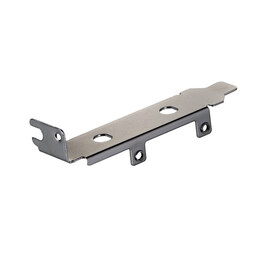
This expansion card supports PCI 2.0 standard and comes with both full-height and low-profile brackets, making it compatible with standard and small form factor computers. The included driver CD and instruction manual simplify installation and setup.
Key features include UASP support for improved transfer efficiency, hot-swap capability for easy device connection and removal, and broad OS compatibility including Linux and Windows Server editions. The card is built with dual Renesas/NEC chipsets for reliable performance and complies with RoHS, CE, and FCC certifications.
Its compact design (15 mm width, 167 mm depth, 120 mm height) and lightweight build (90 g) ensure easy integration without adding bulk. Operating temperature ranges from 5 to 50 °C with relative humidity between 20% and 80%, suitable for most environments.
Upgrade your PC with the StarTech PEXUSB3S42 PCIe USB 3.0 adapter card to enjoy faster data transfers, expanded connectivity, and versatile compatibility.