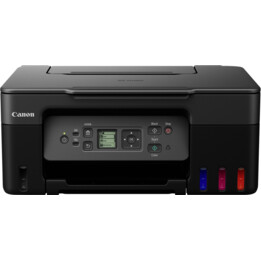
Technical specifications
- Features
- Print, copy, scan, fax, Wi-Fi, Ethernet + Cloud Link
PRINT SPECIFICATIONS
- Print speed (approx.)
- 24.0 ipm black and white A4?
- 15.5 ipm color A4?
- Time to First Page (Approx.)
- Black & White: 6s (Ready) / 10s (Sleep)
- Color: 7s (Ready) / 12s (Sleep)
- Printing technology
- Inkjet, FINE heads
- Maximum print resolution
- 600 x 1,200 dpi
- Print margins (min.)
- Top: 3mm, Bottom: 5mm, Left and Right: 3.4mm
- Double-sided printing
- Automatic (A4, LTR plain paper)
SCAN SPECIFICATIONS
- Scanner type
- Flatbed, single-pass duplex ADF
- Scanner technology
- 2x CIS color scanner
- Scanner resolution (optical)
- Up to 1,200 x 1,200 dpiù
- Double-sided printing
- Available (single pass)
- Scanning speed (ADF) Approx.
- Double sided. 23 ipm color?
- Double sided. 23 ipm black and white?
- Maximum document size
- Flatbed scanner: A4, LTR (216 x 297 mm)
- ADF: A4, LTR, LGL
- Scan depth (input / output)
- Color: 48 bit / 24 bit
- Grayscale: 16 bit / 8 bit
- Scan functions
- Scan to email, scan to network folder, scan to cloud, scan to USB
COPY SPECIFICATIONS
- Copy speed (approx.)
- ADF color: 11.5 ipm?
- Black and white ADF: 22.0 ipm?
- Multiple copies
- Up to 99 pages
- Enlargement / reduction range
- 25-400%, Fit to Page
- Copy quality settings
- Standard, High
- Duplex copy
- Double-sided to double-sided (automatic)
- Copy functions
- Frame Erase, Sort, 2 in 1, 4 in 1, Duplex Copy
FAX SPECIFICATIONS
- Fax type
- Super G3 / Color
- Fax resolution
- Black and white: up to 300 x 300 dpi
- Color: 200 x 200 dpi
- Fax speed
- Black and white: approx. 3 seconds (33.6 kbps) ?
- Color: approx. 1 min. (33.6 kbps) ?
- Fax memory
- Up to 250 pages
- Coded abbreviated dialing
- Max. 100 locations
- Group dialing
- Max. 99 locations
INKS AND YIELD
- Ink type
- Dual Resistant High Density Ink
- 4 ink tanks (black, cyan, magenta, Yellow )
- XL inks
- PGI-2500XL BK (2,500 pages) ?
- PGI-2500XL C (1,755 pages) ?
- PGI-2500XL M (1,295 pages) ?
- PGI-2500XL Y (1,520 pages) ?
- Average color ink tank yield (CMY): 1,500 pages
PAPER COMPATIBILITY
- Types of paper
- Normal paper
- Envelopes (DL, COM10, C5, Monarch)
- Canon High Resolution Paper (HR-101N)
- Canon Mate (MP-101)
- Canon Pro Luster (LU-101)
- Canon Plus Semi Glossy (SG-101)
- Canon Photographic Brightness II (PP-201)
- Canon Brightness Everyday Use (GP-501)
- Maximum paper input
- Upper cassette: 250 sheets of plain paper
- Lower cassette: 250 sheets of plain paper
- Paper sizes
- Plain paper, A4, A5, B5, LTR, LGL
- Photo paper: A4, LTR, 20 x 25 cm, 13 x 18 cm, 10 x 15 cm
- Custom sizes: width 89 to 215.9 mm; length 127 to 355.6 mm
- Paper weight
- Plain paper: 64 - 105 g / m?
- Canon photo paper up to 275 g / m?
CONNECTIVITY
- Wired connections
- Hi-Speed USB 2.0
- 10 / 100Mbps Ethernet (automatic switching)
- USB flash memory port (type A)
- wireless networks
- Wi-Fi IEEE802.11 b / g / n?
- Wireless LAN frequency band: 2.4 GHz
- Access point mode
- Application compatibility
- Canon PRINT Inkjet / SELPHY application
- MAXIFY Cloud Link (from printer screen or smart device)
- Canon Print Service Plug-in (Android)
- Mopria
- Microsoft mobile printing
- Apple AirPrint
- Google Cloud Print
SOFTWARE
- Compatible operating system
- Windows 10 / 8.1 / 8/7/7 SP1 / Vista SP2
- Windows Server 2008/2008 R2 / 2012/2012 R2
- Mac OS X v10.8.5 or later
- Compatible mobile systems
- iOS, Android, Windows RT, Windows 10 Mobile
- Minimum system requirements
- Windows: Internet Explorer 8, Internet connection or CD-ROM
- Mac: Safari 5 and Internet connection
- Display: 1,024 x 768 or higher
- Software included
- Printer driver and fax driver
- Quick Utility Toolbox
- IJ Network Device Setup Utility
- Easy-WebPrint EX
GENERAL CHARACTERISTICS
- Screen type and size
- 8.8cm color touch screen
- Automatic document feeder
- Up to 50 sheets
- Dimensions (W x D x H)
- 463 x 394 x 351 mm
- 463 x 459 x 351 mm (installed paper)
- Weight
- 12.9 kg
- Power supply
- AC 100-240 V, 50/60 Hz
- Energy consumption
- Standby (scanner lamp off)
- USB connection to PC: approx. 0.9 W
- OFF: approx. 0.2 W
- Copy (USB connection to PC): Approx. 27 W?
- Typical power consumption
- 0.2 kWh?
- Noise levels
- Approx. 56 dB (A) ?
- Recommended operating environment
- Temperature: 15-30 C
- Humidity: 10 - 80% RH (non-condensing)
- Yield (monthly)
- up to 30,000 pages?
- Recommended print volume
- 250-1,500 pages / month
Footnotes
Print Speed (Approx.) - Document print speed on plain paper is measured according to ESAT average in ISO / IEC 24734 standard office category test.
Scanner Resolution (Optical) - Optical resolution is a measure of the maximum hardware sampling resolution, based on ISO 14473. When scanning at high resolution, the scan size is limited.
Scanning speed (ADF) Approx. - ADF scan speeds are average of scESAT30secA in ADF Productivity Measurement test, ISO / IEC 17991: 2015. When scanning or copying a certain volume of documents (approx. 150 sheets with default settings) continuously with the ADF, the printer may switch to "standby mode" in which the paper feed stops several seconds after each scan to prevent the ADF from overheating.
Copy speed (approx.) - ADF copy speed is average of ESAT simplex, ISO / IEC 24735, excluding first set copy time. When scanning or copying a certain volume of pages continuously with the ADF, the printer may need to pause (usually less than a minute) after each scan. This prevents the paper feed mechanism from overheating. When scanning or copying with the default settings (color, 300 dpi), page feeding begins to pause after approx. 80 sheets of paper when loaded continuously or repeatedly in a short period of time. Pause time may vary depending on scan settings, including color or black and white option, and scan resolution.
Fax Speed - Based on default setting with ITU-T No. 1 pattern for black and white, and Canons color fax test sheet for color.
XL Inks - Page yield is based on ISO / IEC 24711 and continuous printing. The printer ships with setup ink tanks.
Wireless connections - Wi-Fi frequency band: 2.4 GHz
Wi-Fi security: WPA-PSK, WPA2-PSK, WEP, management password
Power Consumption - Copy: When copying ISO / JIS-SCID N2 (printed with an inkjet printer) on A4 size plain paper with default settings. Specifications are subject to change without notice.
Typical Electricity Consumption - * Typical Electricity Consumption (TEC) represents the typical electricity consumption of a product for one week.
Noise levels - Acoustic noise is measured according to the ISO7779 standard.
Throughput (monthly) - ADF scan speeds are average of scESAT30secA in ADF Productivity Measurement test, ISO / IEC 17991: 2015. When scanning or copying a certain volume of documents (approx. 150 sheets with default settings) continuously with the ADF, the printer may switch to "standby mode" in which the paper feed stops several seconds after each scan to prevent the ADF from overheating.