HP s7 Pro 738pu WQHD+
- 37.5" IPS Black panel with 3840 x 1600 resolution
- 60 Hz refresh rate and 5 ms response time
- Thunderbolt 4 with 100W USB Power Delivery
- DisplayHDR 400 and 400 cd/m² brightness
- Built-in 4 speakers with DTS Virtual:X audio
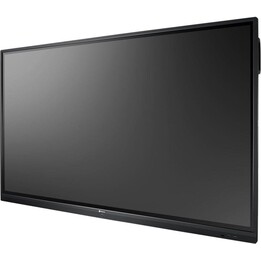
The HP Series 7 Pro 37.5 inch WQHD+ Thunderbolt 4 Monitor delivers exceptional image quality with its 3840 x 1600 resolution on a curved IPS Black panel. Designed for business and professional environments, it features a 60 Hz refresh rate and a fast 5 ms response time, ensuring smooth visuals and minimal motion blur.
Connectivity is versatile with two Thunderbolt 4 ports supporting up to 100W USB Power Delivery, one HDMI 2.0 port, and DisplayPort 1.4 inputs. The monitor supports DisplayHDR 400 for enhanced dynamic range and 400 cd/m² brightness for clear visibility in various lighting conditions.
Ergonomics are prioritized with height adjustment up to 15 cm, swivel, tilt, and VESA 100x100 mm mounting compatibility. The built-in USB 3.2 Gen 2 hub includes multiple Type-A and Type-C ports for easy device connection. Additional features include flicker-free technology, low blue light mode, and an ambient light sensor for automatic brightness adjustment.
Audio is enhanced with four built-in speakers delivering DTS Virtual:X sound. The monitor also includes a built-in KVM switch and Ethernet LAN port for streamlined workspace management. Its sleek black and silver design complements any professional setup.
Overall, this HP monitor combines high resolution, advanced connectivity, and ergonomic comfort to support demanding workflows and enhance productivity.
-
Brand

-
Reference8K167AA#ABB
-
In stock42 Items
-
ConditionNew
-
EAN130197497776584
-
MPN8K167AA#ABB
-
Inches37,5"
-
Resolución de pantallaUW4K (3840 x 1600)
-
Refresh rate60 Hz
-
Panel typeIPS
-
Screen shapeCurved
| Brand | HP |
|---|---|
| Country | USA |
| Address of origin | 1501 Page Mill Road, Palo Alto, CA 94304 |
| EU responsible person | HP Printing and Computing Solutions, S.L.U |
| Address | C/ José Echegaray, 18 Las Rozas 28232 |
| [email protected] | |
| Phone | 34902027020 |
Safety warnings
General warnings for this type of product. Always follow the manufacturer's instructions.
- Read the manufacturer's instructions before installing or using the appliance and keep them.
- Connect it only to a mains supply of the stated voltage and use the power supply or cable provided.
- Do not use it with a damaged cable, plug or casing and do not open it: repairs by qualified personnel only.
- Protect it from moisture, liquids and heat, and keep the ventilation openings clear.
- Unplug it before cleaning and when it will not be used for a long time.
- Keep it out of the reach of children.
- At the end of its life, take it to a collection point for waste electrical and electronic equipment (WEEE).
12 other products in the same category



- Out-of-Stock


Viewed products