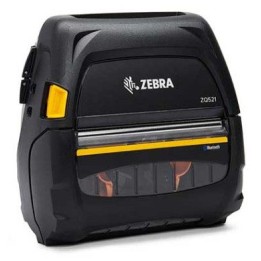
Card printer Zebra ZC100 single-sided with USB
- Single-sided PVC card printer
- USB connection and Windows driver
- For ID badges, membership cards and passes
The Zebra ZC100 is a single-sided card printer for producing PVC and PVC-composite cards such as employee badges, membership cards or event guest passes. It combines dye-sublimation and thermal-transfer printing at up to 300 x 300 DPI, with a compact body and an LCD screen for everyday operation. It is aimed at businesses that need to issue cards in-house and want a straightforward, Windows-ready setup.
Highlights
- Dye-sublimation and thermal-transfer printing at a maximum resolution of 300 x 300 DPI, giving clear text and images on every card.
- Print speed of up to 700 cards per hour in mono and 150 cards per hour in colour, so you can handle batches without long waits.
- Single-sided output only, which suits badges, membership cards and guest passes that only need printing on one face.
- Works with PVC and PVC-composite cards, covering the most common card materials used for ID and access purposes.
- Built-in LCD screen for checking and managing the printer directly from the device.
- 2048 MB of internal memory to support day-to-day printing tasks.
- USB 2.0 port for connecting to your computer, plus a Kensington security slot to lock the printer in place.
- Windows driver included, with support for Windows 10 and Windows 7; Mac OS X 10.2 Jaguar and Linux are also supported.
Technical specifications
Printing
| Print technology | Dye-sublimation/Thermal transfer |
|---|---|
| Colour | Yes |
| Maximum resolution | 300 x 300 DPI |
| Duplex printing | No |
| Print speed (monochrome) | 700 card/h |
| Print speed (colour) | 150 card/h |
| Card types | PVC, PVC Composite |
Features
| Display | LCD |
|---|---|
| Product colour | Black, White |
| Internal memory | 2048 MB |
| Built-in display | Yes |
| Cable lock slot | Yes |
| Cable lock slot type | Kensington |
Ports & interfaces
| USB port | Yes |
|---|---|
| USB version | 2.0 |
| Ethernet LAN | No |
Operational conditions
| Operating temperature (T-T) | 15 - 35 °C |
|---|---|
| Operating relative humidity (H-H) | 20 - 80% |
System requirements
| Windows operating systems supported | Windows 10, Windows 7 |
|---|---|
| Mac operating systems supported | Mac OS X 10.2 Jaguar |
| Linux operating systems supported | Yes |
| Mac compatibility | Yes |
Weight & dimensions
| Width | 157 mm |
|---|---|
| Depth | 383 mm |
| Height | 258 mm |
| Weight | 3.9 kg |
Manufacturer technical data.
Frequently asked questions
Can it print on both sides of a card?
No. The ZC100 is a single-sided printer, so it prints on one face of the card only. It is intended for cards that do not need duplex printing.
Which operating systems does it work with?
It supports Windows 10 and Windows 7, and a Windows driver is included. Mac OS X 10.2 Jaguar and Linux are also listed as supported systems.
What card types can I use?
It works with PVC and PVC-composite cards. Maximum print resolution is 300 x 300 DPI.
How fast does it print?
It reaches up to 700 cards per hour in monochrome and up to 150 cards per hour in colour.
How do I connect it to my computer?
Through its USB 2.0 port. There is no Ethernet connection. The printer also has a Kensington security slot for a cable lock.
-
Brand

-
ReferenceZC11-0000000EM00
-
In stock2 Items
-
ConditionNew
-
EAN138436575532639
-
MPNZC11-0000000EM00
-
ColourBlack
-
ConectividadUSB 2.0
-
Almacenamiento2048 MB
-
Resolución de pantalla300 x 300 DPI
| Brand | Zebra |
|---|---|
| Country | USA |
| Address of origin | 3 Overlook Point, Lincolnshire, Illinois 60069 |
| EU responsible person | Zebra Technologies Corp. |
| Address | Calle Martinez Villergas, 52 Bloque C Madrid 28027 |
| [email protected] | |
| Phone | 34911237350 |
Safety warnings
General warnings for this type of product. Always follow the manufacturer's instructions.
- Read the manufacturer's instructions before installing or using the appliance and keep them.
- Connect it only to a mains supply of the stated voltage and use the power supply or cable provided.
- Do not use it with a damaged cable, plug or casing and do not open it: repairs by qualified personnel only.
- Protect it from moisture, liquids and heat, and keep the ventilation openings clear.
- Unplug it before cleaning and when it will not be used for a long time.
- Keep it out of the reach of children.
- At the end of its life, take it to a collection point for waste electrical and electronic equipment (WEEE).
12 other products in the same category

- Out-of-Stock


- Out-of-Stock

- Out-of-Stock