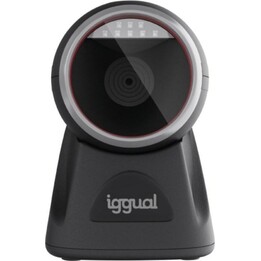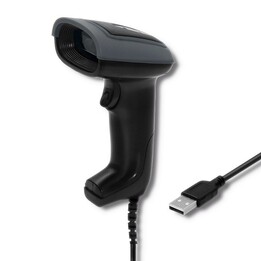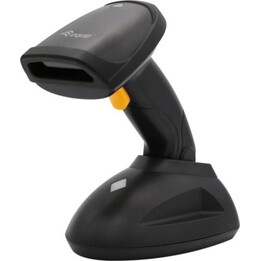
Zebra Motorola LS2208 Laser Blanco
- Laser sensor for fast, accurate barcode reading
- Scan rate up to 100 scans per second
- Multiple interfaces: USB, RS-232, RS-485, keyboard wedge
- White housing, compact 63 x 84 x 152 mm design
- Lightweight at 146 g for comfortable all-day use
The Zebra Motorola LS2208 is a handheld laser barcode scanner built for everyday use at the till, in the clinic or at the reception desk. It reads 1D barcodes quickly and reliably, and its multiple built-in interfaces make it easy to connect to the system you already have. A practical choice for anyone who needs to scan all day without fuss.
Highlights
- Laser sensor with a scan rate of 100 scans per second, so barcodes are captured on the first pass and queues move faster.
- Wide reading angles: -30 to 30° of reading, -65 to 65° of tilt and -60 to 60° of yaw, which makes it easier to aim at awkwardly placed labels.
- Decodes a broad range of 1D symbologies, including UPC/EAN, Code 39, Code 128, Codabar, Interleaved 2/5, Code 93, MSI, Code 11, IATA, GS1 DataBar and Chinese 2/5.
- Four connection options on board — RS-485, USB, keyboard interface and RS-232 — so it fits into different host systems without extra hardware.
- Light body of 146 g and compact dimensions of 63 x 84 x 152 mm, comfortable to hold during long shifts.
- Low power draw: 5 V input and 130 mA consumption.
Technical specifications
Scanning
| Sensor type | Laser |
|---|---|
| Tilt reading angle | -30 - 30° |
| Pitch reading angle | -65 - 65° |
| Yaw reading angle | -60 - 60° |
| Decoding standards | UPC/EAN UPC/EAN + Supplementals UCC/EAN 128 Code 39 Code 39 Full ASCII Code 39 TriOptic Code 128 Code 128 Full ASCII Codabar Interleaved 2/5 Discrete 2/5 Code 93 MSI Code 11 IATA GS1 DataBar Chinese 2/5 |
| Scan speed | 100 sec/page |
Ports & interfaces
| Standard interfaces | RS-485, USB, Keyboard wedge, RS-232 |
|---|
Performance
| Product colour | White |
|---|
Power
| Input voltage | 5 V |
|---|---|
| Power consumption | 130 mA |
Weight & dimensions
| Weight | 146 g |
|---|
Operational conditions
| Operating temperature (T-T) | 0 - 50 °C |
|---|---|
| Storage temperature (T-T) | -40 - 70 °C |
| Operating relative humidity (H-H) | 5 - 95% |
Other features
| Dimensions (WxDxH) | 63 x 84 x 152 mm |
|---|---|
| Safety | UL 60950-1, C22.2 No. 60950-1, EN 60950-1, IEC 60950-1 |
| Electromagnetic emissions | FCC Part 15 Class B, ICES 003 Class B |
| Light source | 650nm |
Manufacturer technical data.
Frequently asked questions
Which barcode types can it read?
It handles the common 1D retail and logistics codes: UPC/EAN with supplementals, UCC/EAN 128, Code 39 (including Full ASCII and TriOptic), Code 128 (including Full ASCII), Codabar, Interleaved 2/5, Discrete 2/5, Code 93, MSI, Code 11, IATA, GS1 DataBar and Chinese 2/5.
How do I connect it to my till or computer?
The scanner supports RS-485, USB, a keyboard interface and RS-232. Check which of these your system uses so you can pick the right connection.
How fast does it scan?
It scans at 100 scans per second, which helps keep checkout lines moving when you are passing items through quickly.
Is it comfortable to use for a full shift?
At 146 g and with a compact body of 63 x 84 x 152 mm, it is light enough to hold for long periods. It also works within an operating temperature range of 0 to 50 °C and a relative humidity range of 5 to 95%.
-
Brand

-
ReferenceLS2208-SR20001R
-
In stock10 Items
-
ConditionNew
-
EAN135711045404528
-
MPNLS2208-SR20001R
-
ColourWhite
-
ConectividadRS-485, USB, Interfaz de teclado, RS-232
| Brand | Zebra |
|---|---|
| Country | USA |
| Address of origin | 3 Overlook Point, Lincolnshire, Illinois 60069 |
| EU responsible person | Zebra Technologies Corp. |
| Address | Calle Martinez Villergas, 52 Bloque C Madrid 28027 |
| [email protected] | |
| Phone | 34911237350 |
Safety warnings
General warnings for this type of product. Always follow the manufacturer's instructions.
- Read the manufacturer's instructions before use and keep them.
- If it is rechargeable, charge it only with a suitable charger, on a non-flammable surface, and do not leave it charging unattended for long periods.
- Do not expose it to heat, direct sunlight or extreme temperatures, and do not get it wet unless the manufacturer states that it is water-resistant.
- Do not puncture, crush, open or short-circuit the battery or cells. If they swell, overheat or smell of burning, stop using it.
- Keep the device and its batteries out of the reach of children: swallowing a button cell can cause serious injury.
- Batteries and electrical devices must not go in household waste: take them to a collection point.